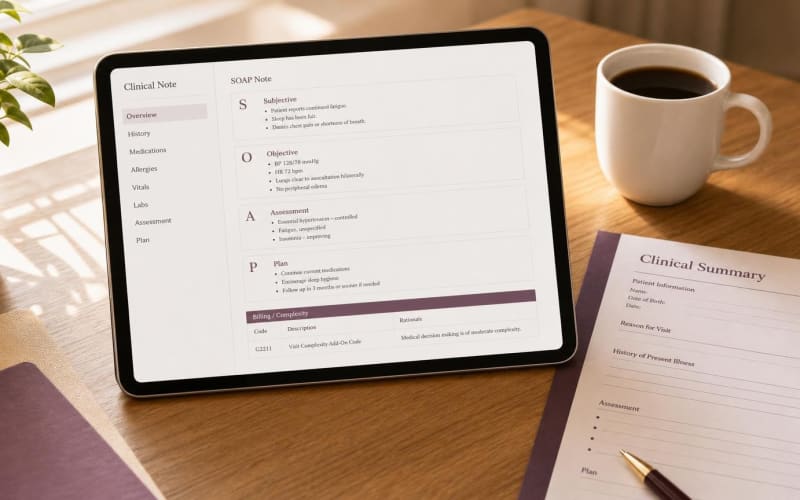
Browser-native DOM mapping writes Merry notes directly into Cerbo EMR Chart Parts
Merry injects structured clinical notes into Cerbo EMR through a Chrome Extension that reads and writes the page DOM inside the clinician's own browser session. The extension locates the encounter note editor, the supplement section, and the lab review region of the open chart, then writes reviewed text into those fields. No Cerbo server API, marketplace approval, or vendor integration contract is involved.
Cerbo was built for functional and integrative practices. Its Chart Parts system lets clinicians insert narrative text, diagnoses, lab orders, supplements, IV protocols, and custom recommendations into one encounter. Merry treats each Chart Part as a target field, so a single recorded visit becomes a supplement plan, a lab interpretation, and an assessment narrative placed in the correct sections.
Functional medicine notes fail audits when supplement plans lose their lab rationale
Generic scribes produce SOAP-style free text optimized for conventional E/M visits. In a functional medicine encounter, that output often lists supplements without doses, omits timing, and separates the protocol from the lab values that justify it. Clinicians then reformat the note by hand or copy it field by field into Cerbo.
Merry is tuned to integrative documentation patterns, including multi-system intake histories, IFM matrix framing of antecedents, triggers, and mediators, and advanced lab panels such as cardiometabolic markers, micronutrient testing, and inflammatory markers. The result is a note structured the way Cerbo already organizes the chart.
Every supplement entry carries a dose, a frequency, and a documented lab finding
Merry enforces one documentation rule for supplement plans: every supplement is listed with dose, frequency, and a rationale tied to a specific lab result discussed during the visit. If the clinician names a supplement without stating a dose or a supporting finding, the draft flags the gap for review instead of guessing.
The example below shows output format only. Doses and selections come from the treating clinician's spoken plan, not from Merry.
| Supplement | Dose | Frequency | Rationale Tied to Documented Lab Finding |
|---|---|---|---|
| Vitamin D3 with K2 | 5,000 IU D3 / 100 mcg K2 | Once daily with a fat-containing meal | 25-OH vitamin D 18 ng/mL, below target; recheck in 12 weeks |
| Magnesium glycinate | 400 mg | Nightly | RBC magnesium 3.9 mg/dL, low; reported sleep latency and muscle cramping |
| L-methylfolate with methylcobalamin | 1 mg / 1,000 mcg | Once daily | Homocysteine 14.2 umol/L, elevated; recheck in 8 weeks |
| Omega-3 (EPA/DHA) | 2 g combined EPA/DHA | Once daily with meals | Omega-3 index 3.8%, low; hs-CRP 3.1 mg/L |
| Iron bisglycinate | 25 mg elemental iron | Every other day | Ferritin 22 ng/mL with fatigue; CBC within range |
Each row is written into the Cerbo supplement section and mirrored in the encounter narrative, so the plan and its justification stay together in the permanent record.
Three actions take a clinician from install to an injected Cerbo note
- Install Merry for Chrome from the Chrome Web Store and sign in with your practice account.
- Open the Cerbo chart part for the active encounter, such as the visit note, supplement plan, or lab review section.
- Click Record in Merry, conduct the visit, then review the draft and click insert to write each section into its matching Cerbo field.
Merry validates the patient context visible in the chart header before any write occurs. A preview appears for every section, and nothing is placed into Cerbo until the clinician confirms it.
Chrome DOM injection removes the API dependency that slows niche EHR integrations
Most scribe vendors prioritize enterprise EHRs and support niche systems like Cerbo only through generic copy and paste. The table compares the three realistic options for a functional medicine practice.
| Criterion | Traditional API Marketplace Integration | Manual Copy-Paste | Merry AI Chrome DOM Injection |
|---|---|---|---|
| Setup requirement | Vendor contract, API credentials, IT review | None | Chrome Extension install, no IT ticket |
| Recurring integration fees | Often per-provider or per-call fees | None | Zero API fees |
| Writes to Cerbo Chart Parts | Limited to exposed endpoints | Clinician pastes each field by hand | Direct write to note, supplement, and lab review fields |
| Supplement dose and rationale structure | Depends on vendor schema | Reformatted manually | Enforced per row before insertion |
| Time to first note | Weeks to months | Immediate, with ongoing time cost | Same day |
| Audio footprint outside the EHR | Often retained server-side by vendor | Varies by tool | Zero audio stored server-side |
| Clinician review before commit | Varies | Implicit | Required preview and attestation |
G2211 documentation depends on visible longitudinal reasoning in the note
HCPCS G2211 is a Medicare add-on for office and outpatient E/M codes 99202-99205 and 99211-99215, and for home or residence E/M visits, when the practitioner serves as the continuing focal point for care or manages a single serious or complex condition. CMS guidance restricts G2211 payment when the base E/M is billed with modifier 25, outside listed preventive service exceptions.
Merry makes longitudinal complexity explicit by writing a dedicated section that compares current labs to prior values, records plan changes over time, and notes coordination with other clinicians. A trend such as ferritin rising from 14 to 22 ng/mL across two visits becomes visible evidence of an ongoing management relationship.
IV and injection visits need clean separation. Under NCCI policy, modifier 25 requires a significant, separately identifiable E/M service, and modifier 59 must not be used to bypass edits. Merry writes the E/M assessment and medical decision making in a separate section from procedural documentation for IV infusions, injections, or pelleting, so coders can see the distinction without reconstructing it.
Client-side processing keeps raw encounter audio out of third-party storage
Merry does not retain audio on its servers. Audio buffers are cleared from memory after the note is generated, and the only durable artifact is the clinician-approved text inside Cerbo, the practice's system of record. This narrows the PHI footprint compared with scribes that keep recordings for quality review or model training.
Practices remain responsible for patient consent and disclosure under the recording laws of their state. Merry supports this by giving the clinician explicit control over when capture starts and stops, and by logging note creation events without storing the underlying audio.
Clinician attestation remains the final authority on every Cerbo record
Merry drafts and the clinician decides. The extension does not place lab orders, prescribe supplements, or sign notes. Recommendations appear as draft text that the clinician converts into orders through Cerbo's own workflow, and every injected section is reviewed and attested before the chart is committed.